Introduction to a Discover project
Introduction
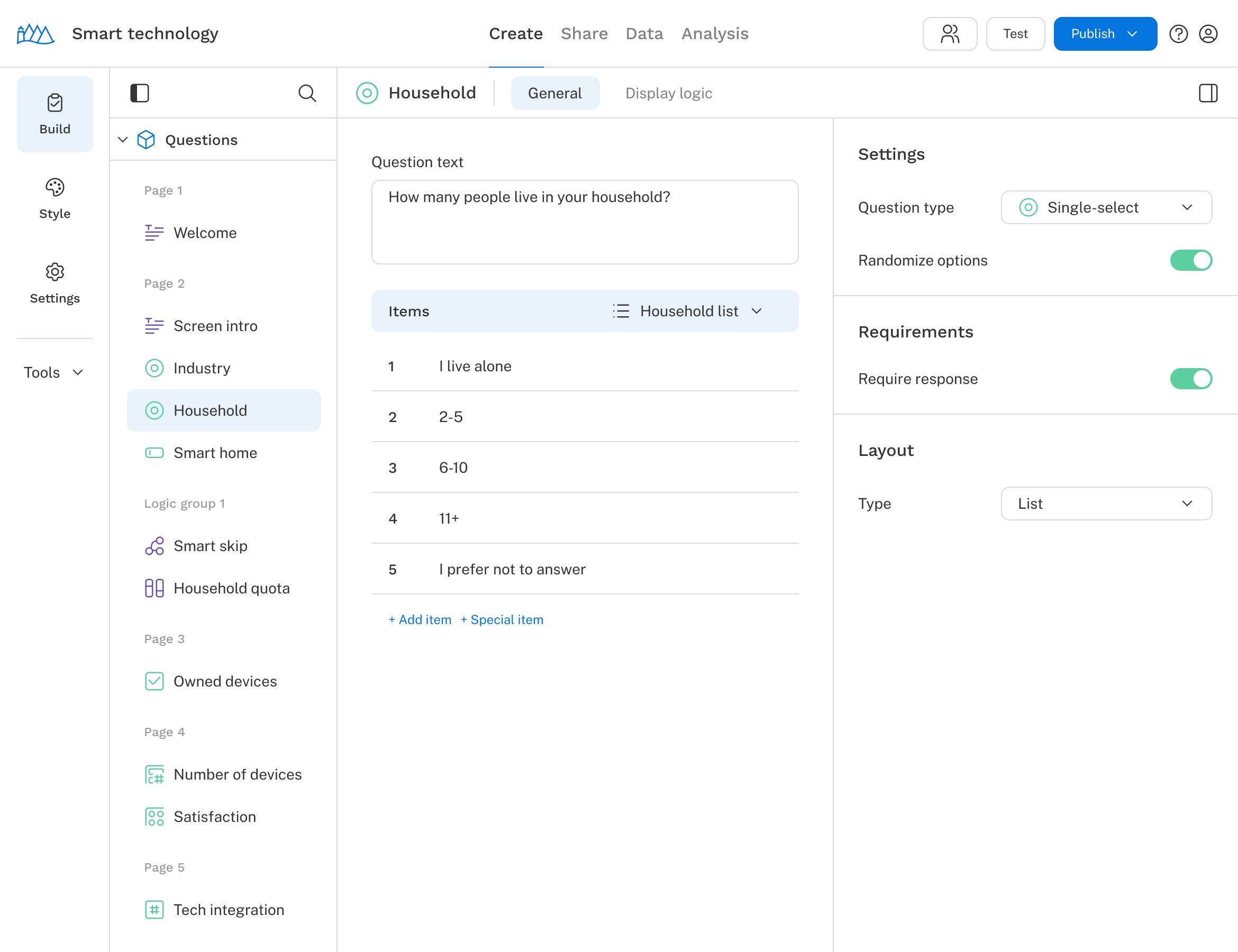
A survey project is divided into four sections, each representing a stage in the survey process. Navigate between them using the tabs at the top of the screen.
Create: Define your survey flow by adding questions, importing translations, and more.
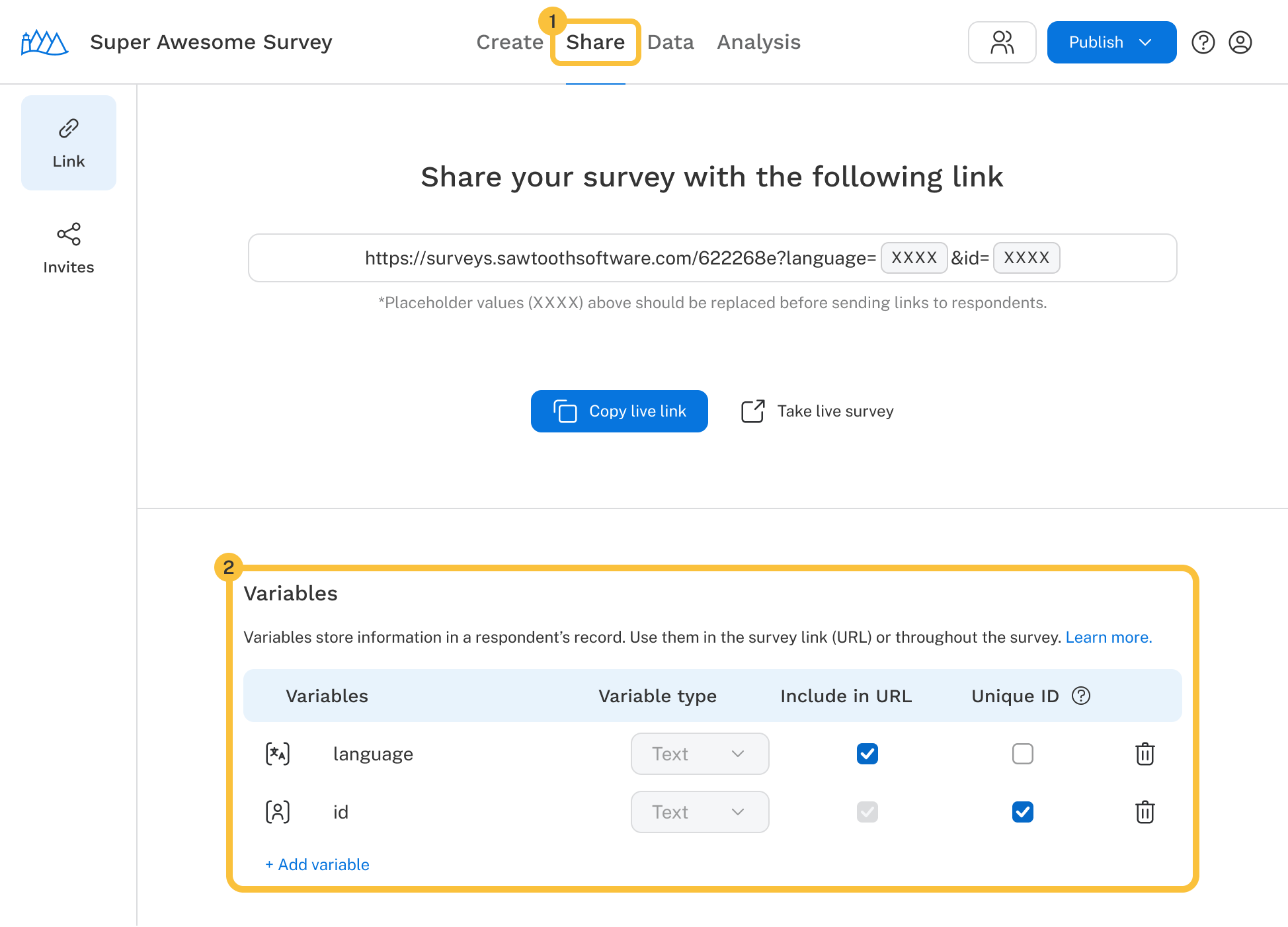
Share: Copy your survey URL to share with respondents, with the option to append URL variables.
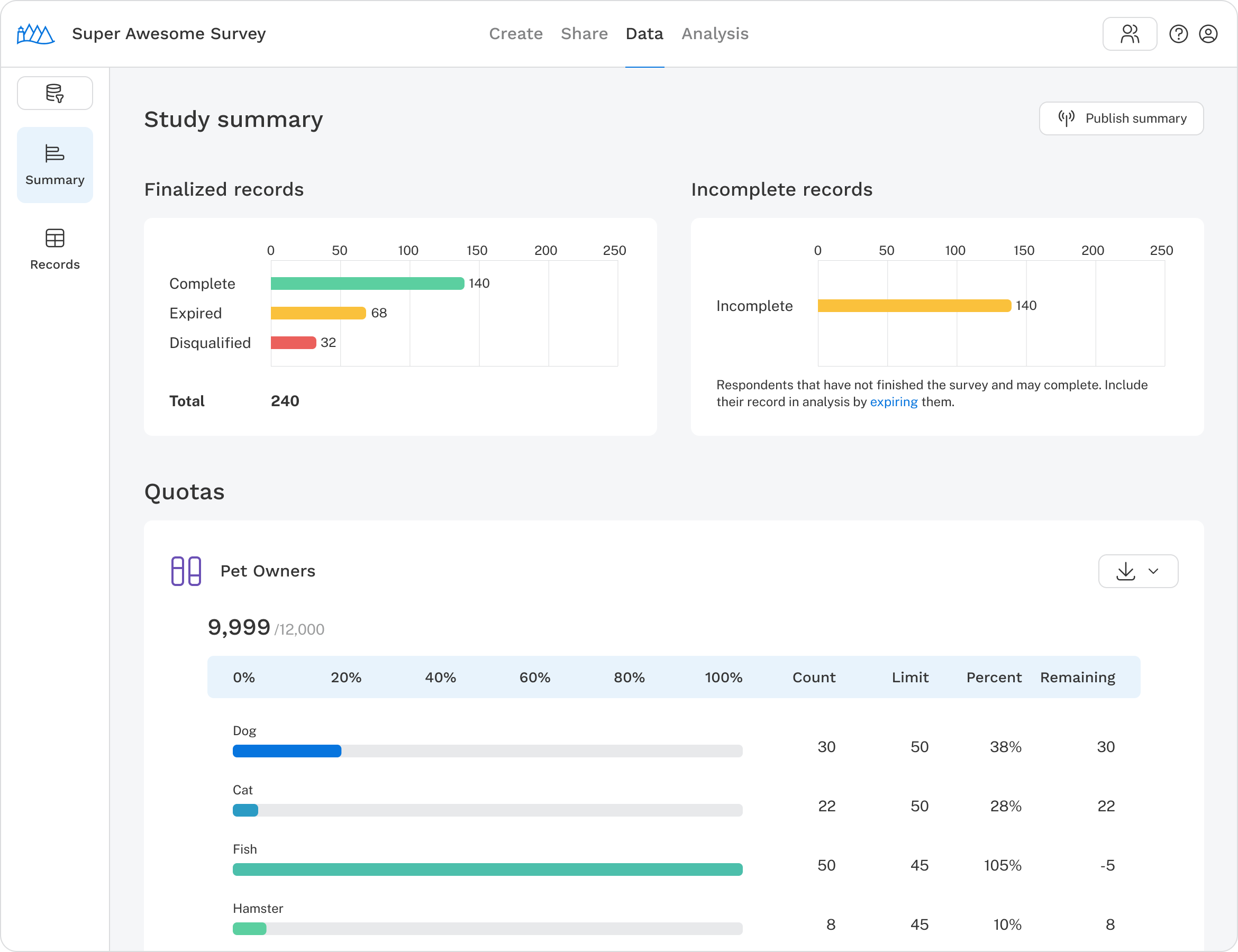
Data: View a respondent summary, download survey data, and remove or delete records.
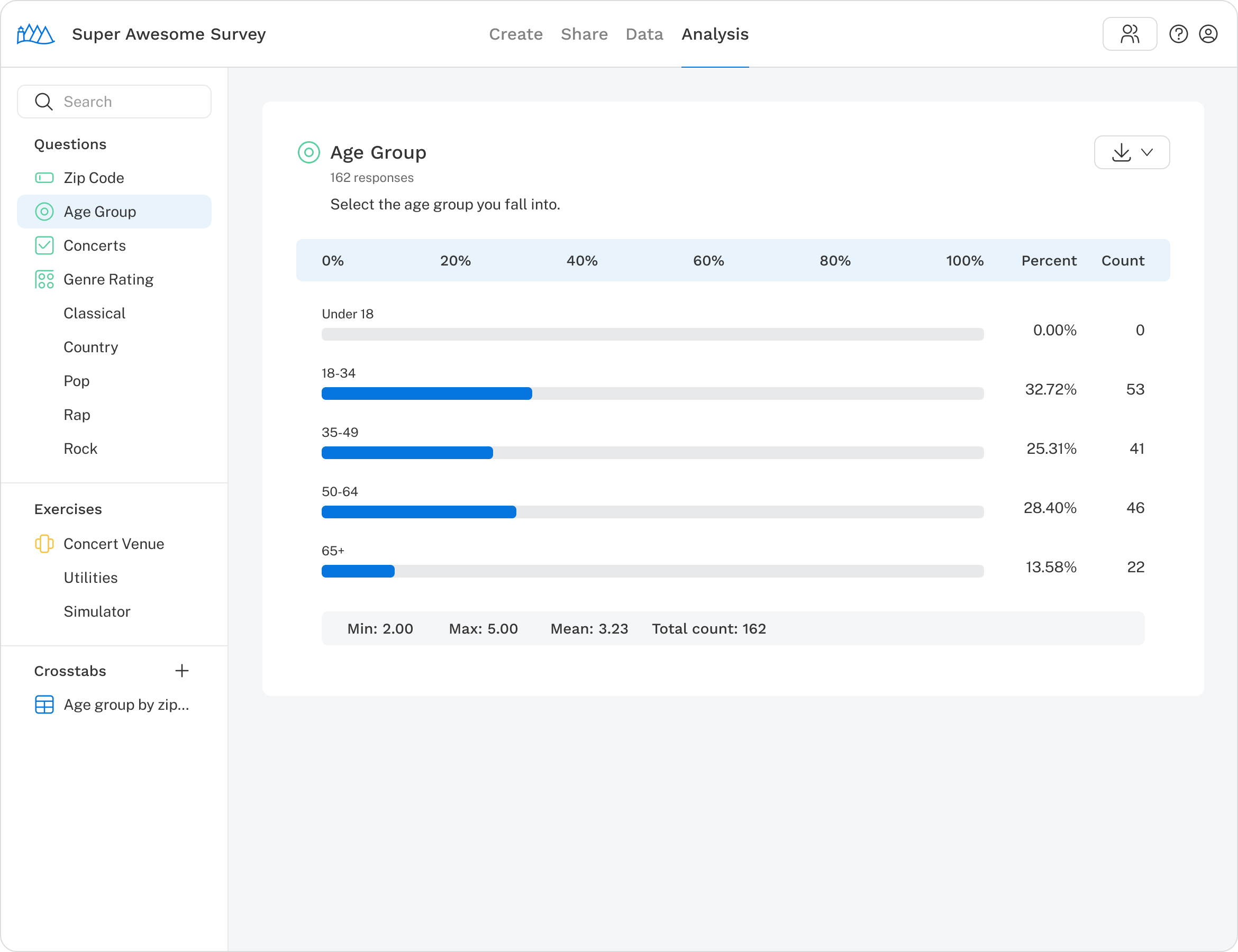
Analysis: View tables and charts for individual questions and run simulations on exercises.
Top navigation
The menu bar appears at the top of every page.
- Return to My surveys: Click the Sawtooth logo to go back to your survey list.
- Survey name: View or update the survey name.
- Tabs: Switch between the four sections of your project.
- Collaborate: Invite your team to work on your survey.
- Test: Preview the survey and collect test responses before going live.
- Publish & survey audit: Review potential issues and push updates to your live survey.
- Account access and sign out: Access account settings or log out.
